
Halloween and holiday window projections
Updated 3 November 2026
Turn your front window into a ghost, a snowy scene or a festive light show that the whole street can see — what you need and how to set it up.
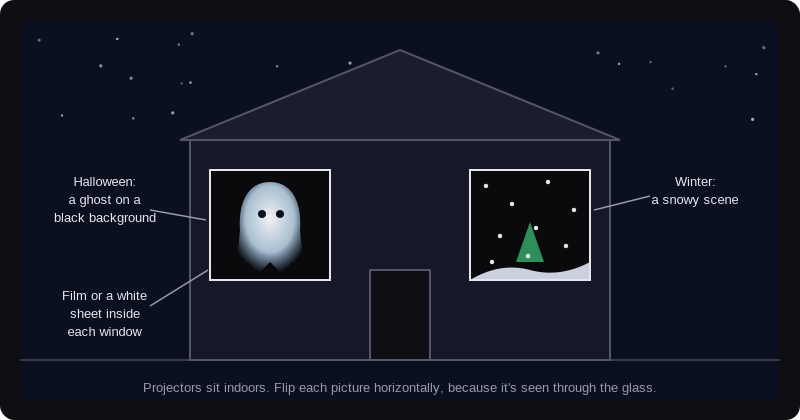
Window projections are the easiest way to make a house the talk of the street. The projector stays safe and dry indoors, the "screen" is your window, and people outside see ghosts drifting past, a silhouette in the curtains, snow falling or reindeer flying by.
What you need
- A projector — 2,000–3,000 ANSI lumens is plenty for a window after dark.
- A screen on the glass — rear-projection film gives the brightest, clearest picture; frosted window film or a thin white sheet also work.
- A laptop with Kaleidal Mapper, plus an HDMI cable.
- Videos made for windows — figures on a pure black background. Black means no light, so only the figure shows.
How to set it up
- Cover the window on the inside with film or a sheet, smooth and tight.
- Put the projector indoors, a few metres back from the window and centred on it. Our Halloween window guide covers distances and angles.
- Flip the picture horizontally in Kaleidal Mapper so it reads correctly from outside (layer → Transform → Flip H).
- Fit it to the glass: add a surface and drag its corners onto the window frame. Add a mask for the window bars if you like.
- Loop your video and check it from the pavement. Adjust the size until figures look life-size from the street.
Ideas by season
| Season | Ideas |
|---|---|
| Halloween | Ghosts drifting past, a silhouette behind the curtains, skeletons dancing, a witch's shadow, eyes peering out |
| Christmas and winter | Falling snow, Santa's sleigh crossing the window, a gingerbread house, a festive countdown |
| New Year | Fireworks bursting across the glass, a countdown clock |
| Other holidays | Diwali lights, Lunar New Year lanterns and dragons, spring blossoms, hearts for Valentine's Day |
Tips
- Pure black backgrounds make the illusion work. Grey "black" shows as a glowing rectangle.
- Several windows? Add one surface per window. A second projector for another room comes with Kaleidal Mapper Pro (coming soon).
- Make it run itself: a laptop set to never sleep, plus a smart plug on a timer, turns the display on at dusk and off at bedtime.
- Be a good neighbour: avoid flashing content facing the road, and keep the volume of any sound low.
Related
- Halloween window projection: the full step-by-step guide
- Christmas window projection: snow, Santa and more
- Projecting onto your house: when one window isn't enough
- A budget projector for holiday displays
- Masking around windows, doors and obstacles
- Choosing a projector